
Showing posts with label Paid Photography. Show all posts
Showing posts with label Paid Photography. Show all posts
Wednesday, May 16, 2012
PicFrame v1.5.1 Android Application

Recommended device requirements:
Requires Android : 2.1 and up
Create amazing frames with up to five photos. Rounded corners, effects and more!
PicFrame helps you combine multiple photos into amazing looking frames and share them with your friends and family. With 36 frames, rounded corners, adjustable photo effects, adjustable border width and an easy border color picker you will always have a unique look.
PicFrame helps you combine multiple photos into amazing looking frames and share them with your friends and family. With 36 frames, rounded corners, adjustable photo effects, adjustable border width and an easy border color picker you will always have a unique look.
Wednesday, May 9, 2012
Camera ZOOM FX v3.5.1
Requirements: Android OS 1.6+
Overview: The most advanced camera for Android!

[break]
>> "The Best Camera App for Android" - lifehacker
>> "The 15 Best Mobile Apps of 2011" - Mashable
BUY NOW BEFORE THE PRICE GOES UP! (Normal price $4.99)
★★★★★★★★★★★★★★★★
Requirements: Android OS 1.6+
Overview: The most advanced camera for Android!
[break]
>> "The Best Camera App for Android" - lifehacker
>> "The 15 Best Mobile Apps of 2011" - Mashable
BUY NOW BEFORE THE PRICE GOES UP! (Normal price $4.99)
★★★★★★★★★★★★★★★★
Monday, January 30, 2012
 |
| 2.36$ |
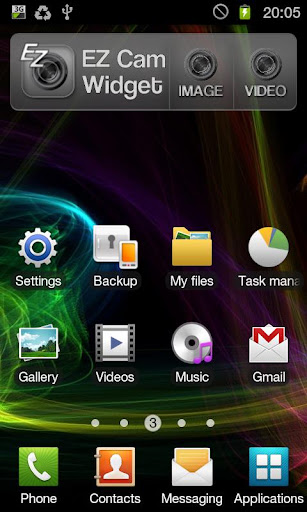
The easy-to-use widget can be added to your main home screen, allowing you to take a photo or begin recording a video mere seconds from getting it out of your pocket. A variety of settings can be configured after installation meaning the camera will always be ready to snap a picture just the way you want it.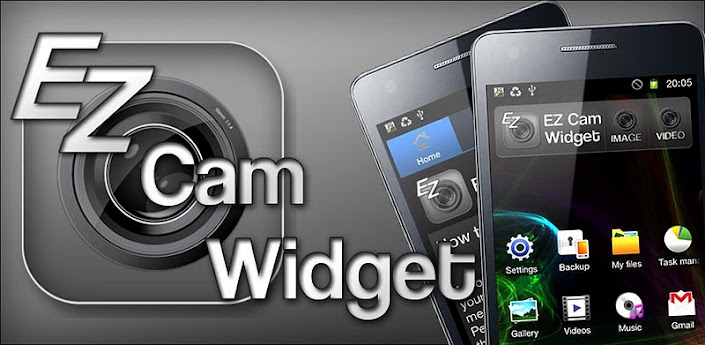
The features include:
- Easy to use camera widget with buttons to capture an image, begin recording a video and a link to the main application.
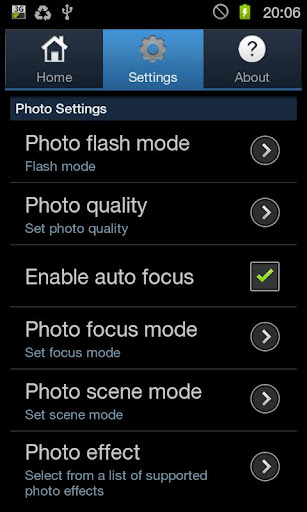
- Choose from your camera's supported flash modes.
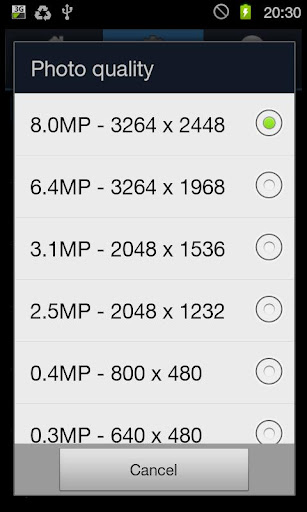
- Choose from your camera's supported photograph resolutions.
- Choose from your camera's supported focus modes.
- Ability to disable auto focus for a speed shot, or enable it for better quality images.
- Choose from your camera's supported scene modes.
- Choose from your camera's supported photograph effects.
- Choose from your camera's supported white balance settings.
- Enable video resolution override for certain devices where the automatic video settings are incorrect. * (See note below)
- Toggle video flash on/off
- Choose from your camera's supported flash modes.
- Choose from your camera's supported photograph resolutions.
- Choose from your camera's supported focus modes.
- Ability to disable auto focus for a speed shot, or enable it for better quality images.
- Choose from your camera's supported scene modes.
- Choose from your camera's supported photograph effects.
- Choose from your camera's supported white balance settings.
- Enable video resolution override for certain devices where the automatic video settings are incorrect. * (See note below)
- Toggle video flash on/off
How to Install:
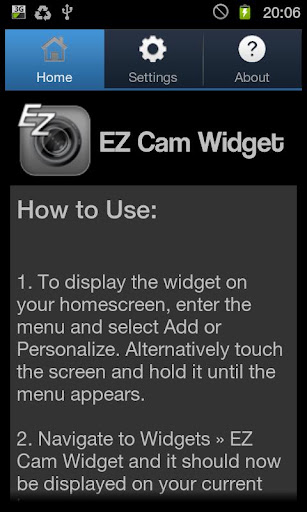
1. To display the widget on your homescreen, enter the menu and select Add or Personalize. Alternatively touch the screen and hold it until the menu appears.
2. Navigate to Widgets » EZ Cam Widget and it should now be displayed on your current homescreen.
3. Start the EZ Cam Widget application from your Applications menu or from the button on the widget and navigate to the Settings tab. Change the camera settings to suit your needs.
4. Tap the photo button on the widget to instantly take a snapshot, or use the video button to begin recording.
5. The saved videos and photos can be found in the 'EZ Cam Images' and 'EZ Cam Videos' folders on your SD card and are viewable in your gallery.
* Note: EZ Cam Widget automatically detects the devices highest video settings, however the method provided by Android to do this has proved slightly unreliable on certain devices. A few devices used while testing the application showed this problem, these were the Samsung Galaxy S2, HTC Desire HD and HTC Desire S. With all of these devices the override resolution option needs to be used to set a supported recording resolution (see the known issues section below).
Please be aware that the camera hardware is different for almost every device, this makes it difficult to create an application that is compatible with every Android phone. If you have any problems with the application please email us with a detailed explanation of your problem and the Android device you are using. We take any problems with our applications very seriously and will help you solve your problem as soon as possible.
Known Issues:
A few devices have known issues and can be solved by using the manual resolution override option. Here is a list of known fixes:
- HTC Desire S - Ensure a supported video resolution is selected and the manual resolution override option is enabled.
- HTC Desire HD - Video will work but will record at lower resolution, this can be set to 1280 x 720 manually.
- Samsung Galaxy S2 - Problem with recording video at high resolutions, ensure manual resolution is set (max. 720 x 480).
Keywords: camera, widget, photo, video, record, capture, quick, easy, settings.
Screenshots:
Sunday, January 29, 2012
Vignette v2012.01.28 (2012.01.28) Android App Apk Application Free Full Download
Sunday, January 29, 2012 1
 |
| 3.92$ |
(If you already purchased Vignette and you're wondering why we've re-published it as a new app, please go to goo.gl/rdmuy for an explanation).
Add film and camera effects to your photos.
• 84 effects & 59 frames
• Retro/vintage styles
• LOMO/Diana/Holga toy camera styles
• Polaroid/instant camera styles
• Cross-process, tilt-shift, photobooth, double exposure and more.
• Retro/vintage styles
• LOMO/Diana/Holga toy camera styles
• Polaroid/instant camera styles
• Cross-process, tilt-shift, photobooth, double exposure and more.
• Supports the full resolution of your camera (3.1MP, 5MP or 8MP)
• Flash (if your phone has one) (not working on Dell Streak)
• Front-facing camera support (on some devices)
• Self-timer and time-lapse
• Digital zoom
• Geotagging
• Flash (if your phone has one) (not working on Dell Streak)
• Front-facing camera support (on some devices)
• Self-timer and time-lapse
• Digital zoom
• Geotagging
There is a free demo version of Vignette to allow you to try it out before you buy it. Search the Market for "Vignette Demo".
If you have problems, please check our web page for help, bug fixes and contact details. If you just leave a comment in the market, we can't work with you to find a fix.


Saturday, January 28, 2012
 |
| 4.00$ |
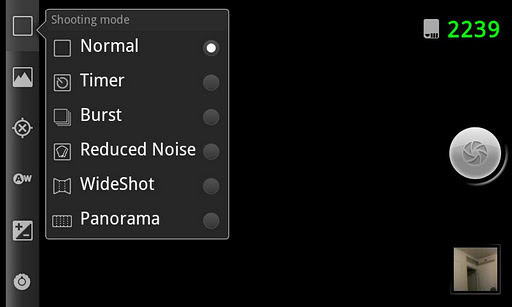
ProCapture adds advanced features to the Android camera experience. Multiple advanced shooting modes supported: Timer, Burst, Reduced Noise, WideShot and Panorama.
Please note that this app is not for video capture.
- Panorama mode automatically links together up to 12 photos to produce a high resolution panoramic image providing the ability to zoom in on small details. Output panorama has the highest resolution and best quality among competitors (depends on phone memory).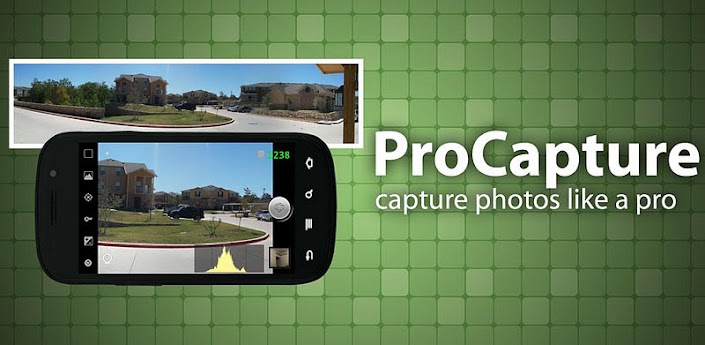
- WideShot mode automatically links together 3 photos to produce a high resolution wide image.
- Reduced Noise mode captures 2 photos and combines them in order to reduce noise in the photo by about 30%.
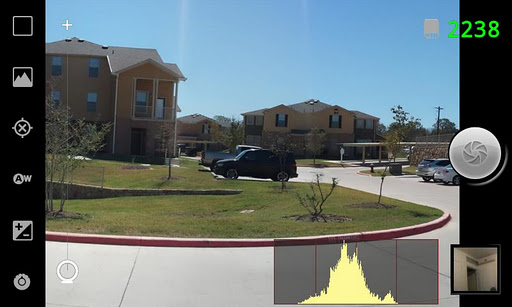
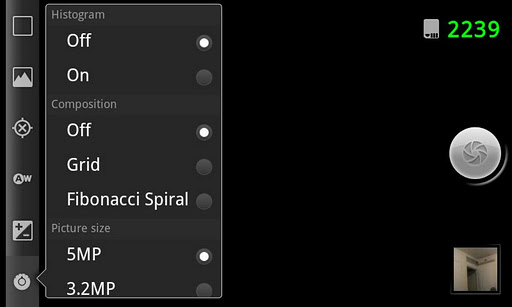
- Shoot better photos with 2 different on-screen composition aids: grid and Fibonacci spiral.
- Real-time on-screen histogram helps you get better exposed photos.
- Simple UI with easy access to all features.
- On-screen remaining photos indicator.
- Ability to configure volume buttons for zoom or photo capture.
- Save to internal or external storage (please email us if external storage is not supported on your phone).
Please email us in case you encounter any problem.
Screenshots:
Thursday, January 26, 2012
iMagic Pro - image studio v1.0.0 (1.0.0) Apk Android Application Download
Thursday, January 26, 2012 0
 |
| 0.99$ |
iMagic - image studio - means ability to add interesting thematic visual effects to your photo, add unique fonts for all occasions, memorable frames, funny special design objects, photo effects, photo filters and others.
★ ☆ ★ WEEKLY UPDATE ★ ☆ ★
Good news! St. Valentine’s Day is coming!
You have a great opportunity to share your love and friendship with iMagic.
iMagic - image studio - the first application for mobile phones, which offers the opportunity to make an image or picture on every occasion of life, including Valentine’s Day.
Functional:
Catalogs of frames, visual effects, fonts, photo effects, funny special design objects are updated and added every week.
Visual effects: snow life, icicles, snowstorm, magic, smoke, fire, rain, bubble and others.
Funny special design objects are compiled and selected thematically –Valentine's Day, Birthday, Holiday, etc.
Wide range of original fonts, including Love, Romance, Comic, and many others allow you to make unique signatures for memory.
Various photo effects and photo filters help to add to your photos a variety of colors and paint. Frameset for every taste and color will leave nobody indifferent.
With iMagic you never get bored and will spend time having fun and being excited, editing a photo or image, saving it on your phone or sending mail to a friend or your loved one via e-mail, MMC, or sharing it on Facebook.
Use your imagination! Create! Enjoy!
To find more about the developers visit us on http://www.mobisters.mobi/
Talk to the developers on facebook: http://www.facebook.com/MOBiSTERS.
Post your findings and ideas on Facebook and they may become real!
Follow us to Twitter @MOBiSTERS
Catalogs of frames, visual effects, fonts, photo effects, funny special design objects are updated and added every week.
Visual effects: snow life, icicles, snowstorm, magic, smoke, fire, rain, bubble and others.
Funny special design objects are compiled and selected thematically –Valentine's Day, Birthday, Holiday, etc.
Wide range of original fonts, including Love, Romance, Comic, and many others allow you to make unique signatures for memory.
Various photo effects and photo filters help to add to your photos a variety of colors and paint. Frameset for every taste and color will leave nobody indifferent.
With iMagic you never get bored and will spend time having fun and being excited, editing a photo or image, saving it on your phone or sending mail to a friend or your loved one via e-mail, MMC, or sharing it on Facebook.
Use your imagination! Create! Enjoy!
To find more about the developers visit us on http://www.mobisters.mobi/
Talk to the developers on facebook: http://www.facebook.com/MOBiSTERS.
Post your findings and ideas on Facebook and they may become real!
Follow us to Twitter @MOBiSTERS
Keywords: pictures, image, image studio, visual effects, fonts, photo effects, photo filters, Valentine's Day, love, photo editing
Screenshots:


Download Now: Android Market
Wednesday, January 25, 2012
|
| 2.38$ |
The easy-to-use widget can be added to your main home screen, allowing you to take a photo or begin recording a video mere seconds from getting it out of your pocket. A variety of settings can be configured after installation meaning the camera will always be ready to snap a picture just the way you want it.
The features include:
- Easy to use camera widget with buttons to capture an image, begin recording a video and a link to the main application.
- Choose from your camera's supported flash modes.
- Choose from your camera's supported photograph resolutions.
- Choose from your camera's supported focus modes.
- Ability to disable auto focus for a speed shot, or enable it for better quality images.
- Choose from your camera's supported scene modes.
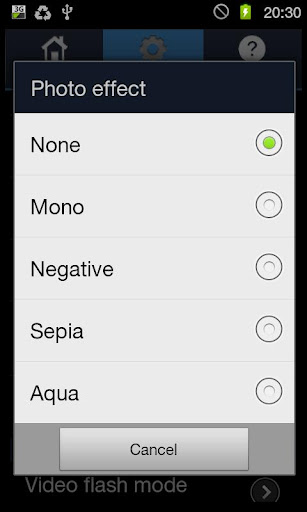
- Choose from your camera's supported photograph effects.
- Choose from your camera's supported white balance settings.
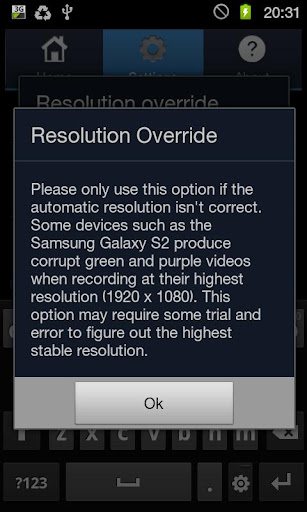
- Enable video resolution override for certain devices where the automatic video settings are incorrect. * (See note below)
- Toggle video flash on/off
- Choose from your camera's supported flash modes.
- Choose from your camera's supported photograph resolutions.
- Choose from your camera's supported focus modes.
- Ability to disable auto focus for a speed shot, or enable it for better quality images.
- Choose from your camera's supported scene modes.
- Choose from your camera's supported photograph effects.
- Choose from your camera's supported white balance settings.
- Enable video resolution override for certain devices where the automatic video settings are incorrect. * (See note below)
- Toggle video flash on/off
How to Install:
1. To display the widget on your homescreen, enter the menu and select Add or Personalize. Alternatively touch the screen and hold it until the menu appears.
2. Navigate to Widgets » EZ Cam Widget and it should now be displayed on your current homescreen.
3. Start the EZ Cam Widget application from your Applications menu or from the button on the widget and navigate to the Settings tab. Change the camera settings to suit your needs.
4. Tap the photo button on the widget to instantly take a snapshot, or use the video button to begin recording.
5. The saved videos and photos can be found in the 'EZ Cam Images' and 'EZ Cam Videos' folders on your SD card and are viewable in your gallery.
* Note: EZ Cam Widget automatically detects the devices highest video settings, however the method provided by Android to do this has proved slightly unreliable on certain devices. A few devices used while testing the application showed this problem, these were the Samsung Galaxy S2, HTC Desire HD and HTC Desire S. With all of these devices the override resolution option needs to be used to set a supported recording resolution (see the known issues section below).
Please be aware that the camera hardware is different for almost every device, this makes it difficult to create an application that is compatible with every Android phone. If you have any problems with the application please email us with a detailed explanation of your problem and the Android device you are using. We take any problems with our applications very seriously and will help you solve your problem as soon as possible.
Known Issues:
A few devices have known issues and can be solved by using the manual resolution override option. Here is a list of known fixes:
- HTC Desire S - Ensure a supported video resolution is selected and the manual resolution override option is enabled.
- HTC Desire HD - Video will work but will record at lower resolution, this can be set to 1280 x 720 manually.
- Samsung Galaxy S2 - Problem with recording video at high resolutions, ensure manual resolution is set (max. 720 x 480).
Keywords: camera, widget, photo, video, record, capture, quick, easy, settings.
Download Now:Android Market


Subscribe to:
Posts (Atom)
