
Showing posts with label Paid Media And Video. Show all posts
Showing posts with label Paid Media And Video. Show all posts
Friday, April 27, 2012
DicePlayer v2.0.0
Requirements: Android 2.2+
Overview: HW Accelerated Video Player with Playback speed control and Network support

[break]
Diceplayer uses HW video decoder at various containers and audio codecs combination. Diceplayer drains less bettery than SW based players.
Features
Formats
- AVI,MOV,MKV,FLV,AVI,3GP,3G2,ASF,WMV,MP4,M4V,TS,MTP ,M2TS
Playback speed control
- up to x1.8
- audio pitch correction support
Subtitle format
- SSA,SMI,SRT
- MKV embedded subtitle supported
- Unicode/Multibyte charset supported.
Transport
- HTTP
- RTP/RTSP
- HTTP Live Streaming
Supported devices
* Tegra3 based ICS devices(Transformer Prime/HTC One X)
* Tegra2 based Honeycomb tables
* Samsung Galaxy S2/Note
* Samsung Galaxy S and variants
* Samsung Galaxy Tab(7')
* Samsung Galaxy Player (YP-GB1)
* HTC Nexus One,Desire and QSD8250 based devices => may need libOmxVdec.so patch.
* HTC Sensation,Evo 4G+.Evo 3D
* HTC Desire HD,ThunderBolt
* Toshiba TG-03 and many Japaneses vendors' QSD8250 based devices => May need libOmxVdec.so patch.
* Dell Streak,Venue => May need libOmxVdec.so patch.
* SonyErricson Xperia Arc,Acro
* Motolora Defy : Gingerbread required.
* LG Optimus 2x,Moto Atrix,Droid Bionic,Photon 4G : Gingerbread required
Limitations
* Video capability depends on your devices HW video decodes' capability.
* Some devices(Moto Defy, Galaxy S/Tab) need gingerbread update.
* Tegra2 based devices : H.264 High@3.1 ( no weighted prediction )
What's in this version:
Change UI Look & Feel of list
Support media scanned folders
Enhance performace of Software Player
Support background playback (on/off in settings)
Support volume boost (on/off in settings)
Fix the bug that not hide navigation bar on some ICS devices
Fix the flickering issue on some ICS devices
Note:
No FC issues, it won't crash after when using the volume boost
More Info:
Download Instructions:
http://www.MegaShare.com/4153104
Mirror:
http://rapidgator.net/file/8405413/d20p.zip.html
Requirements: Android 2.2+
Overview: HW Accelerated Video Player with Playback speed control and Network support
[break]
Diceplayer uses HW video decoder at various containers and audio codecs combination. Diceplayer drains less bettery than SW based players.
Features
Formats
- AVI,MOV,MKV,FLV,AVI,3GP,3G2,ASF,WMV,MP4,M4V,TS,MTP ,M2TS
Playback speed control
- up to x1.8
- audio pitch correction support
Subtitle format
- SSA,SMI,SRT
- MKV embedded subtitle supported
- Unicode/Multibyte charset supported.
Transport
- HTTP
- RTP/RTSP
- HTTP Live Streaming
Supported devices
* Tegra3 based ICS devices(Transformer Prime/HTC One X)
* Tegra2 based Honeycomb tables
* Samsung Galaxy S2/Note
* Samsung Galaxy S and variants
* Samsung Galaxy Tab(7')
* Samsung Galaxy Player (YP-GB1)
* HTC Nexus One,Desire and QSD8250 based devices => may need libOmxVdec.so patch.
* HTC Sensation,Evo 4G+.Evo 3D
* HTC Desire HD,ThunderBolt
* Toshiba TG-03 and many Japaneses vendors' QSD8250 based devices => May need libOmxVdec.so patch.
* Dell Streak,Venue => May need libOmxVdec.so patch.
* SonyErricson Xperia Arc,Acro
* Motolora Defy : Gingerbread required.
* LG Optimus 2x,Moto Atrix,Droid Bionic,Photon 4G : Gingerbread required
Limitations
* Video capability depends on your devices HW video decodes' capability.
* Some devices(Moto Defy, Galaxy S/Tab) need gingerbread update.
* Tegra2 based devices : H.264 High@3.1 ( no weighted prediction )
What's in this version:
Change UI Look & Feel of list
Support media scanned folders
Enhance performace of Software Player
Support background playback (on/off in settings)
Support volume boost (on/off in settings)
Fix the bug that not hide navigation bar on some ICS devices
Fix the flickering issue on some ICS devices
Note:
No FC issues, it won't crash after when using the volume boost
More Info:
Code:
https://play.google.com/store/apps/details?id=com.inisoft.mediaplayer.a
http://www.MegaShare.com/4153104
Mirror:
http://rapidgator.net/file/8405413/d20p.zip.html
Monday, January 30, 2012
 |
| 6.59$ |
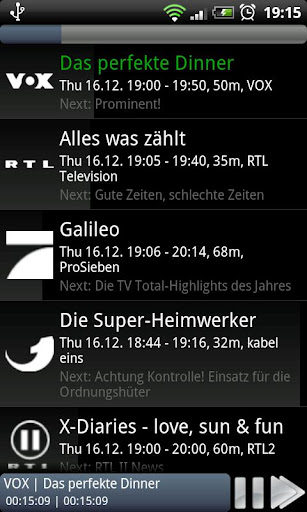
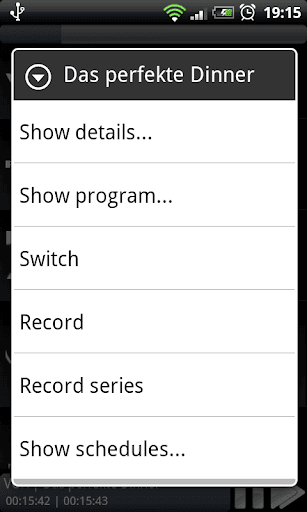
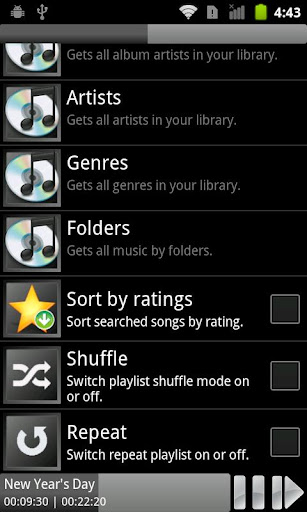
Do you ever wanted or tried a Windows Media Center/Player remote app? Then Media Center Control is made for you. Remote control everything from your phone, even if your TV/display is switched off.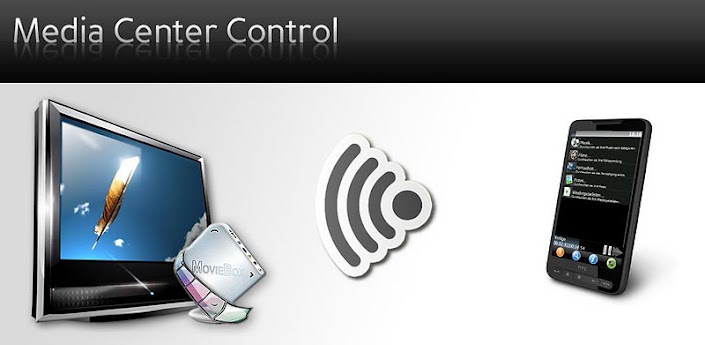
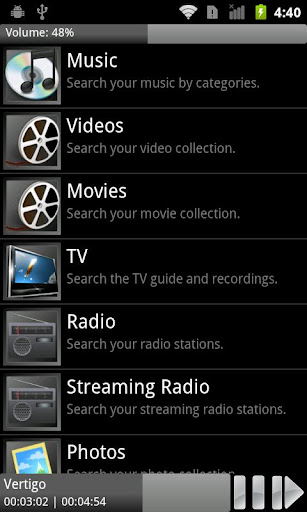
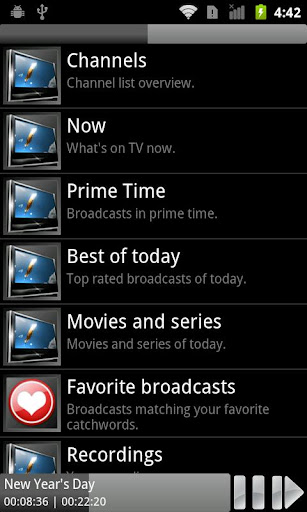
- Control music, videos, movies, photos , TV and radio content with Windows Media Center
- Control music, videos and photos with Windows Media Player
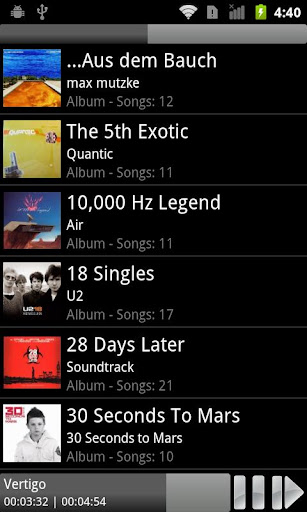
- Easy and fast searching of music, video/movie or TV content
- Scheduling and playback of TV recordings (scheduling from internet also)
- Fast connection via WiFi or Internet
- Switch on your computer automatically with Wake On LAN (WOL)
- Integrated, easy to use Sleeptimer
- Quick and easy installation process
- Optimized for both: small screens and tablets
- English, french and german localization
- Control music, videos and photos with Windows Media Player
- Easy and fast searching of music, video/movie or TV content
- Scheduling and playback of TV recordings (scheduling from internet also)
- Fast connection via WiFi or Internet
- Switch on your computer automatically with Wake On LAN (WOL)
- Integrated, easy to use Sleeptimer
- Quick and easy installation process
- Optimized for both: small screens and tablets
- English, french and german localization
You need to install MCC on your Windows computer too! Before you purchase the app, you can download the server app on http://android.mediacentercontrol.com for free.
Requirements for the Windows computer:
Microsoft Windows Vista or Windows 7 operating system (For use with Windows Media Center, Windows 7 is required) and a network connection between your phone and your PC (Wifi router).
Microsoft Windows Vista or Windows 7 operating system (For use with Windows Media Center, Windows 7 is required) and a network connection between your phone and your PC (Wifi router).
To get all infos, screenshots and a video click the developer link at the bottom please.
If you have any problems with MCC: Please contact me to get help or a refund. Don't just leave a stupid rating/comment in the market. This won't help anybody. I'm interested in any question or recommendation. Use the forums you will find over the developers link also! Many thanks!
Screenshots:
Download Now: Android Market
Screenshots:
Download Now: Android Market
Sunday, January 29, 2012
DoggCatcher Podcast Player v1.2.3065 (1.2.3065) Android App Apk Application Free Full Download
Sunday, January 29, 2012 0
 |
| 4.99$ |
Manage your podcasts and RSS/news feeds with the most highly rated Podcatcher in the Market.
Trial
-There is a trial version of DoggCatcher that can you can find either by searching for 'DoggCatcher' in the Google market or by clicking on 'View more applications' on DoggCatcher's page in the Google Market.
-There is a trial version of DoggCatcher that can you can find either by searching for 'DoggCatcher' in the Google market or by clicking on 'View more applications' on DoggCatcher's page in the Google Market.
Highlights
-Android Central's Editors' Choice podcatcher of the year
-Android Central's Readers' Choice runner up podcatcher of the year
-Lifehacker recently (Nov-2011) finds DoggCatcher to be "The Best Podcast Manager for Android"
-Easy to find new podcasts/feeds
-Fully automated download and cleanup of media files
-Offline playback of audio and video
-Categories for feeds
-Updated frequently - 30+ updates during the past year
-Active user community - 5000+ forum posts
-Highly configurable
-Variable speed playback (this requires the purchase of a third party audio library named Presto)
-Android Central's Editors' Choice podcatcher of the year
-Android Central's Readers' Choice runner up podcatcher of the year
-Lifehacker recently (Nov-2011) finds DoggCatcher to be "The Best Podcast Manager for Android"
-Easy to find new podcasts/feeds
-Fully automated download and cleanup of media files
-Offline playback of audio and video
-Categories for feeds
-Updated frequently - 30+ updates during the past year
-Active user community - 5000+ forum posts
-Highly configurable
-Variable speed playback (this requires the purchase of a third party audio library named Presto)
Add feeds by
-Browsing Top 100 DoggCatcher feeds
-Getting recommendations based on your feed subscriptions
-Searching podcast and news directories
-Importing for Google Reader/Listen
-Importing from OPML
-Browsing Top 100 DoggCatcher feeds
-Getting recommendations based on your feed subscriptions
-Searching podcast and news directories
-Importing for Google Reader/Listen
-Importing from OPML
Integrated Audio/Video Player
-Plays downloaded audio/video
-Streams audio over network (wifi/cell)
-Remembers play position of media file
-Plays video formats supported by Android
-Plays downloaded audio/video
-Streams audio over network (wifi/cell)
-Remembers play position of media file
-Plays video formats supported by Android
RSS/News feeds
-Supports RSS 1.0, 2.0, and ATOM
-Displays inline images
-Supports RSS 1.0, 2.0, and ATOM
-Displays inline images
Automation
-Automatically updates feeds on a configurable interval
-Automatically download new media
-Automatically deletes media that has been listened to
-Automatically updates feeds on a configurable interval
-Automatically download new media
-Automatically deletes media that has been listened to
Community and support
-Frequently updated
-Very active user community in forums
-Frequently updated
-Very active user community in forums
Playlists
-Audio playlist for continuous play of new media
-Video/News playlists for easy navigation of new media
-Audio playlist for continuous play of new media
-Video/News playlists for easy navigation of new media
Other
-Battery/data plan friendly - can limit downloads based on network/power connections
-Media download queue can be viewed and managed
-Bluetooth support (A2DP/AVRCP)
-Supports authenticated feeds (username/password)
-Battery/data plan friendly - can limit downloads based on network/power connections
-Media download queue can be viewed and managed
-Bluetooth support (A2DP/AVRCP)
-Supports authenticated feeds (username/password)
Community and support at doggcatcher.com
Requires SDcard for HTC Incredible



Friday, January 27, 2012
 |
| 3.99$ |
One of the best app available for Android for remote surveillance, control and video recording for your private/public network or IP cameras, video encoders and DVRs with CCTV cams (#1 rated surveillance app, 4.6 average rating with 10,000+ active users). Monitor your baby, pet, home, business, traffic, and weather remotely and securely (no data being sent to 3rd parties). tinyCam Monitor provides best value to customers. Buy now to get more features in future updates for free! More than 25 major updates per year with new features!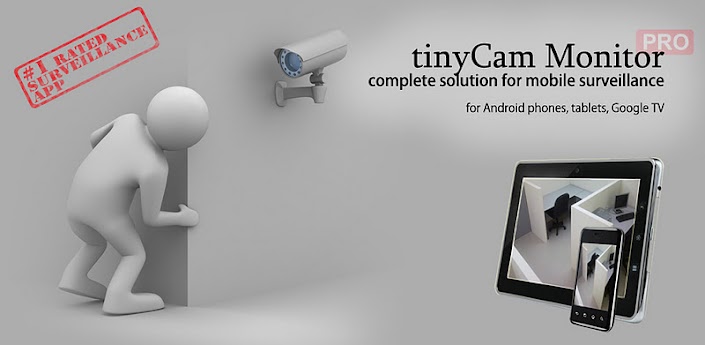
Listed as a featured app on Google TV in Android Market. View your security cams right from the sofa!
24 hours refund policy available. Just email us with your order number for a full refund.
**********
Loaded with tons of features:
- Very intuitive custom made interface. See the screenshots to appreciate the quality of the app.
- Support for M-JPEG based devices of all major vendors (100+)
- 1-way audio (listening) for D-Link, Edimax, Gadspot, SONY, Sharx Security, LogiLink, TRENDnet, Y-cam (selective models), Panasonic
- 2-way audio (talking and listening) for Axis, FOSCAM, Loftek, Tenvis, Wansview, INSTAR, and more on the way!
- SSL support (https) for secured monitoring and encrypting credentials
- 10 different layouts with unlimited number of cameras support
- Control pan-tilt-zoom (PTZ) enabled devices, i.e. Pixord, Vivotek
- Relay, LED control for some models
- Cyclic 24/7 video recording (sequence of JPEG images) on SD card, FTP server, or Dropbox. Video playback is under development.
- Easy to use pinch to zoom for digital zooming and swipes for camera selection
- Sequence mode for automatic cameras switching
- Import/export settings to SD card or Dropbox service
- Support for any USB/laptop cams through 3d party software for PC/Mac (see FAQ)
- Native interface for Honeycomb tablets and Google TV
- Very CPU efficient
- Support for M-JPEG based devices of all major vendors (100+)
- 1-way audio (listening) for D-Link, Edimax, Gadspot, SONY, Sharx Security, LogiLink, TRENDnet, Y-cam (selective models), Panasonic
- 2-way audio (talking and listening) for Axis, FOSCAM, Loftek, Tenvis, Wansview, INSTAR, and more on the way!
- SSL support (https) for secured monitoring and encrypting credentials
- 10 different layouts with unlimited number of cameras support
- Control pan-tilt-zoom (PTZ) enabled devices, i.e. Pixord, Vivotek
- Relay, LED control for some models
- Cyclic 24/7 video recording (sequence of JPEG images) on SD card, FTP server, or Dropbox. Video playback is under development.
- Easy to use pinch to zoom for digital zooming and swipes for camera selection
- Sequence mode for automatic cameras switching
- Import/export settings to SD card or Dropbox service
- Support for any USB/laptop cams through 3d party software for PC/Mac (see FAQ)
- Native interface for Honeycomb tablets and Google TV
- Very CPU efficient
Still not amazed? How about these UNIQUE features:
- The only app in the market which supports ON CAMERA MOTION DETECTION (selective models). Make automatic snapshots or play alert sound on motion!
- LAN SCANNER for automatic cams detection. Have a camera IP address suddenly changed? It takes only couple minutes to fully rescan your home network
- Audio real-time processing (SQUELCH & ALARM) for using it as a baby monitor
**********
- LAN SCANNER for automatic cams detection. Have a camera IP address suddenly changed? It takes only couple minutes to fully rescan your home network
- Audio real-time processing (SQUELCH & ALARM) for using it as a baby monitor
**********
You can purchase a license on one device and then install on many more, if the same account is being used on these devices.
Want more public cameras? Use 3rd party WorldScope Webcams Android app which perfectly integrates with tinyCam Monitor.
Follow us:
Web: http://tinycammonitor.com
Facebook: http://facebook.com/tinycammonitor
YouTube: http://youtube.com/user/tinycammonitor
Twitter: @tinycammonitor
**********
What our customers say about the app:
"By far the best IP cam app I've used, and I've tried a lot. 2 way audio for FOSCAM is just what I've been waiting for."
"Great app, just the job for my home CCTV System with 8 cameras."
"This is by far the best IP camera control app. Worth every penny. Dev updates with new cams and features all of the time. Great work!"
**********
"Great app, just the job for my home CCTV System with 8 cameras."
"This is by far the best IP camera control app. Worth every penny. Dev updates with new cams and features all of the time. Great work!"
**********
Permissions description:
RECORD AUDIO - sending audio from mic to IP webcam
FULL INTERNET ACCESS - receive video/audio from cameras, sync via Dropbox
MODIFY SD CONTENT - save snapshots into "tinycammon" folder on SD card, import/export cams to SD
PREVENT SLEEPING - block screen switching off when watching cams
CONTROL VIBRATOR - vibrate when motion detected
VIEW NETWORK STATE - get WiFi/Ethernet state
WI-FI MULTICAST - LAN scanner
All company names and products are trademarks or registered trademarks of their respective companies.
Screenshots


Subscribe to:
Posts (Atom)
